Common Google Ads Mistakes That Waste Your Budget
Google Ads doesn’t fail businesses, unmanaged Google Ads accounts do, and most wasted budget traces back to a small, repeatable set of mistakes rather than the platform itself being a poor fit. If your account is live and running but the results feel underwhelming relative to spend, one or more of these mistakes is very likely the actual cause. This guide covers 9 of the most common budget-killers in Google Ads accounts and exactly how to fix each one.
What Are the Most Common Google Ads Mistakes at a Glance?
The most common Google Ads mistakes span keyword targeting, conversion tracking, landing pages, Quality Score, ad testing, budget allocation, click fraud, bidding strategy management, and ad scheduling. The table below gives you an immediately scannable answer capsule before the detailed sections that follow.
| Mistake | Why It Wastes Budget | Quick Fix |
|---|---|---|
| Broad match without smart bidding | Ads show for loosely related, low-intent searches | Pair broad match with automated bidding or tighten to phrase match |
| Ignoring negative keywords | Budget spent on searches already proven not to convert | Review search terms report weekly, add negatives consistently |
| Poor or missing conversion tracking | Optimization happens blind with no real performance signal | Define conversions clearly, verify tracking is firing correctly |
| Sending traffic to the homepage | Mismatch between ad promise and landing page hurts conversion and Quality Score | Build dedicated landing pages matched to each ad group |
| Ignoring Quality Score | Lower Quality Score means higher cost per click for the same position | Improve expected CTR, ad relevance, and landing page experience |
| Skipping ad copy testing | A single ad version means never learning what actually resonates | Run at least two headline variations per ad group |
| Spreading budget too thin | Each campaign gets too little data to optimize properly | Consolidate spend into fewer, higher-intent campaigns |
| Ignoring click fraud | Invalid clicks drain budget with zero genuine conversion potential | Monitor for click spikes, repeated IPs, and unusual-hours activity |
| Over-adjusting bidding strategy | Constant changes reset the learning phase and hurt performance | Give smart bidding at least 2 to 4 weeks before adjusting |
Are You Using Broad Match Keywords Without Smart Bidding?
Using broad match keywords without smart bidding lets Google show your ads for loosely related searches that were never going to convert, burning through budget on clicks with little genuine buying intent. Broad match is designed to maximise reach by matching your ad to a wide range of related searches, even ones that don’t contain your exact keyword, which works well when paired with an automated bidding strategy that has enough conversion data to judge which of those broader matches are actually worth pursuing. Without that data-driven guardrail, broad match alone frequently drifts into showing your ad for searches only tangentially related to what you actually offer.
The fix starts with checking whether your broad match campaigns are currently using a smart bidding strategy, such as Target CPA or Maximise Conversions, which uses real conversion data to judge which broad matches are genuinely worth the spend. If you’re running broad match without smart bidding and don’t yet have enough conversion volume to make automated bidding viable, tightening your match types to phrase match in the meantime gives you more control until you have the data to support broader targeting safely. Reviewing your search terms report specifically for broad match keywords, checking exactly what searches actually triggered your ad, reveals concrete evidence of whether this mismatch is currently costing you money.
Are You Ignoring Negative Keywords?
Ignoring negative keywords means your ads keep showing for searches already proven not to convert, continuing to burn budget on the same irrelevant traffic month after month. Negative keywords are terms you deliberately exclude your ads from showing for, and without actively maintaining this list, your account has no mechanism to learn from past irrelevant clicks and stop paying for them again. A business offering paid services that never adds “free” as a negative keyword, for example, keeps paying for clicks from searches that were never going to become paying customers, indefinitely.
The fix requires reviewing your search terms report on a genuinely consistent schedule, ideally weekly, and adding any clearly irrelevant search terms as negative keywords as soon as you spot them rather than letting them accumulate. Building a shared negative keyword list at the account level, rather than managing this separately for each individual campaign, ensures obvious irrelevant terms get excluded everywhere at once rather than needing to be added repeatedly across multiple campaigns. Treating this as an ongoing habit rather than a one-time setup task is what actually prevents this waste from recurring month after month.
Are You Tracking Conversions Correctly, or Not at All?
Tracking conversions incorrectly, or not at all, means your account optimization happens blind, with no reliable way to tell which clicks actually became leads or sales versus which ones simply cost money without producing any real business result. Without accurate conversion data, Google’s own automated bidding systems have nothing meaningful to optimize toward, and any manual decisions you make about which keywords or ads to prioritise are essentially guesswork dressed up as strategy. This is one of the most damaging mistakes on this list precisely because it undermines every other optimization effort simultaneously.
The fix starts with clearly defining what actually counts as a conversion for your specific business, whether that’s a contact form submission, a phone call of a certain minimum duration, or a completed purchase, since a vague or overly broad definition produces misleading data even once tracking is technically working. Setting up this tracking correctly, whether through Google Ads’ own conversion tracking tags or through Google Analytics goals properly linked back to your Google Ads account, and then verifying it’s actually firing correctly by checking for a handful of test conversions, confirms the data you’re seeing genuinely reflects real customer actions. Revisiting this setup periodically, particularly after any website changes, catches tracking that’s quietly broken without triggering any obvious error or warning.
Are You Sending All Your Traffic to the Homepage?
Sending all your traffic to a generic homepage, rather than a dedicated landing page matching what your ad actually promised, hurts both your conversion rate and your Quality Score simultaneously. A visitor who clicked an ad specifically about emergency plumbing shouldn’t have to navigate through a general homepage to find that specific information, and the friction this creates measurably reduces how many of these visitors actually convert into an enquiry. This mismatch also directly damages your landing page experience score, one of the three components of Quality Score covered in detail below, since Google specifically evaluates how well your destination page matches your ad’s promise.
The fix is building a dedicated landing page for each distinct ad group, or at minimum each major service or product category, that directly and immediately confirms the specific offer or service the ad promised. This doesn’t require an entirely new page for every single keyword, but it does mean a visitor clicking an ad about a specific service should land on a page about that specific service, not a generic starting point requiring further navigation. Reviewing your current campaigns to identify which ad groups are currently sending traffic to your homepage, then building or redirecting to more specific pages, is a concrete, immediately actionable audit you can complete this week.
Are You Ignoring Quality Score?
Ignoring Quality Score means paying more per click than necessary for the same ad position, since Google’s Quality Score directly affects your cost per click and ad rank in every auction you participate in. Quality Score is Google’s rating of how relevant and useful your ad and landing page are, and a higher score can let you outrank a competitor bidding more money but offering a poorer overall match to the search.
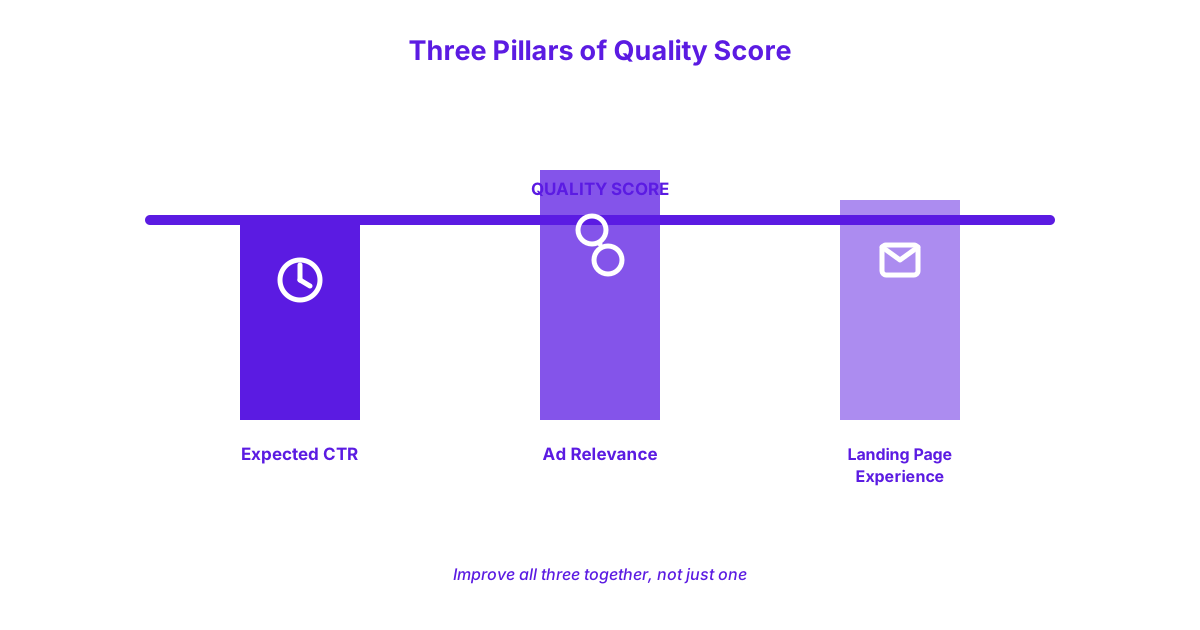
The Three Components of Quality Score
Quality Score is made up of three components: Expected Click-Through Rate, Ad Relevance, and Landing Page Experience, each independently scored and combined into your overall rating. Expected Click-Through Rate measures how likely your ad is to be clicked when shown for a given keyword, based on historical performance data, meaning ads that consistently attract clicks relative to how often they’re shown score well here. Ad Relevance measures how closely your ad’s actual text matches the intent behind the keyword it’s targeting, rewarding tightly themed ad groups where the ad copy directly reflects the specific keywords in that group rather than a generic, one-size-fits-all ad running across many unrelated keywords.
Landing Page Experience measures how relevant, useful, and easy to navigate your destination page is once someone actually clicks through, directly connecting back to the homepage mistake covered above. Improving all three components together, rather than focusing on just one, produces the strongest overall Quality Score improvement, since a weakness in any single component still drags down your overall rating and cost per click. If auditing and improving Quality Score across an entire account feels like more than you want to manage alongside running your business, our Google Ads management service handles this kind of ongoing, detailed account optimization directly.
Are You Skipping Ad Copy Testing?
Skipping ad copy testing, meaning running only a single ad version within an ad group indefinitely, means you never learn what actually resonates with your specific audience, and Google’s own ad delivery system favours ads with proven performance data over untested ones. Without multiple variations running simultaneously, you have no genuine comparison point to know whether your current ad copy is actually a strong performer or simply the only option Google has ever shown.
The fix is running at least two distinct headline variations within each ad group, testing genuinely different angles, such as emphasising speed versus emphasising price, rather than testing only minor wording tweaks that are unlikely to reveal meaningful differences. Reviewing results after a few weeks of genuine data accumulation, then pausing the clearly weaker variation and introducing a new test alongside the stronger one, builds a habit of continuous improvement rather than a single test completed once and never repeated. This ongoing testing cycle compounds over time, meaning an account that’s been genuinely testing ad copy for a year typically has meaningfully stronger performing ads than one still running its original, untested copy from launch.
Are You Spreading Your Budget Across Too Many Campaigns?
Spreading your budget across too many campaigns or keywords starves each individual one of the data volume needed to optimize properly, meaning nothing in your account ever accumulates enough performance history to genuinely improve. A limited daily budget divided across fifteen different campaigns produces such a thin trickle of data per campaign that neither you nor Google’s automated systems can reliably identify what’s actually working versus what’s simply noise from too small a sample.
The fix is consolidating your spend into fewer, higher-intent campaigns rather than maintaining broad, thin coverage across many lower-priority ones. Identifying your highest-intent keywords, the ones most directly tied to a genuine, ready-to-buy search, and concentrating budget there first, produces meaningfully more usable data and stronger results than spreading the same total budget evenly across a long tail of lower-priority terms. This often means having the discipline to pause or significantly reduce spend on lower-priority campaigns, even when it feels like you’re giving up potential reach, in favour of doing fewer things well rather than many things poorly.
Are You Ignoring Click Fraud?
Ignoring click fraud means invalid or fraudulent clicks continue draining your budget with zero genuine conversion potential, since these clicks come from bots, competitors, or automated scripts rather than real potential customers. Click fraud, sometimes called invalid traffic, refers to clicks on your ads that don’t represent a genuine person interested in your product or service, and left unmonitored, this can quietly consume a meaningful share of any account’s budget.
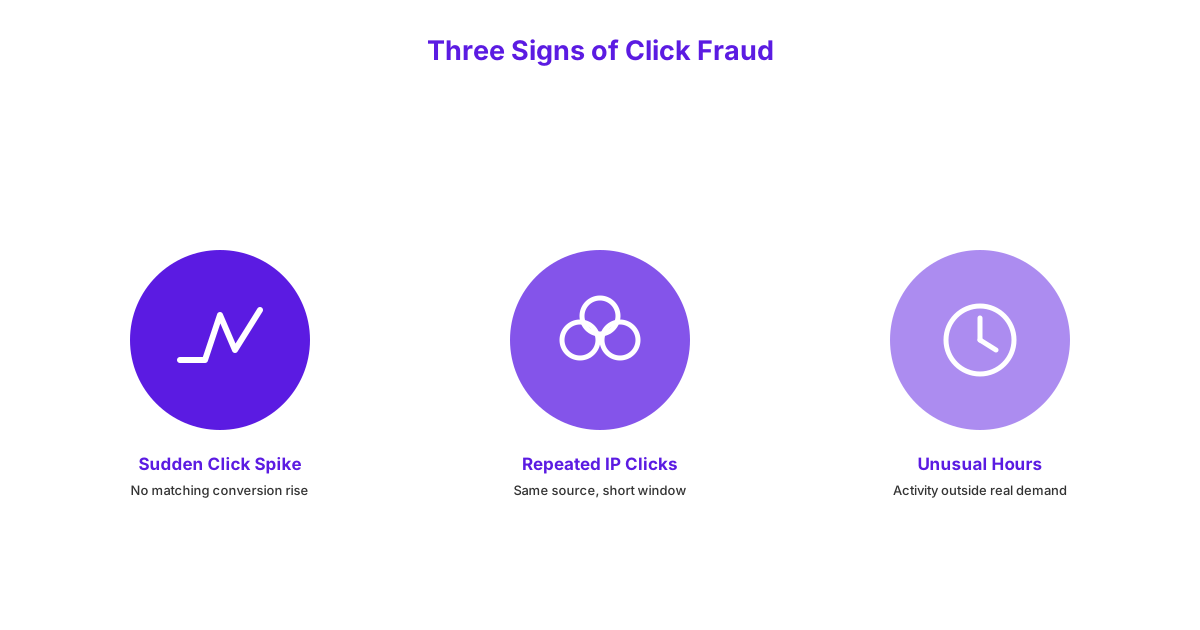
Signs of Click Fraud to Watch For
Signs of click fraud to watch for include sudden spikes in clicks without a corresponding increase in conversions, repeated clicks originating from the same IP address in a short time window, and unusual activity concentrated during hours when your genuine target audience is unlikely to be actively searching. A sudden doubling of daily clicks with no change in conversion rate or volume is a clear signal worth investigating immediately, rather than assuming it simply reflects increased genuine interest. Google Ads’ own reporting includes some invalid click filtering automatically, but this doesn’t catch every instance, meaning manual monitoring of these specific patterns remains a genuinely necessary habit.
Independent research into invalid traffic has found that a meaningful share of paid search clicks industry-wide come from bots or fraudulent sources, which is why monitoring click patterns matters as much as monitoring keywords themselves. If you’re still building foundational Google Ads knowledge before tackling more advanced troubleshooting like this, new to Google Ads? Start with our beginner’s guide covers the fundamentals this article assumes you already have in place.
Are You Over-Adjusting Your Bidding Strategy?
Over-adjusting your bidding strategy, meaning constantly tweaking bids, budgets, or targeting settings before an automated strategy has had enough time to learn, resets its learning phase and actively hurts performance rather than improving it. Smart bidding strategies, such as Target CPA or Maximise Conversions, need a genuine data-gathering period, commonly referred to as the learning phase, during which Google’s system is actively figuring out the best way to deliver your ads based on real performance data. Making significant changes during this window forces the system to restart this learning process from scratch, meaning frequent tinkering can leave an account perpetually stuck in an inefficient, still-learning state that never stabilises into strong, consistent performance.
The fix is giving a smart bidding strategy at least 2 to 4 weeks of genuinely stable settings before making any significant adjustments, resisting the understandable urge to react to every day-to-day fluctuation in performance. Limiting changes during this window to genuinely necessary ones, such as fixing a clear tracking error, while leaving bids and targeting alone otherwise, allows the system the stability it needs to actually reach its full optimization potential. This requires a degree of patience that feels counterintuitive when results seem underwhelming in the short term, but frequent intervention during this specific window is a common, direct cause of that same underwhelming performance.
Are You Running Ads Without a Schedule?
Running ads around the clock without any dayparting, meaning scheduling ads to run only during specific, chosen hours, wastes budget during time periods when your target audience isn’t actively searching or in a buying mindset. A B2B service business, for example, may see the bulk of its genuine, conversion-likely searches occur during standard working hours, meaning ads running throughout the night are largely reaching a much lower-intent audience while still consuming the same budget per click.
The fix is reviewing your account’s time-of-day performance data, available directly within Google Ads reporting, to identify which hours genuinely produce conversions versus which hours produce clicks with little to no conversion activity. Once you’ve identified these patterns, adjusting bids downward or pausing ads entirely during the lowest-performing hours redirects that same budget toward the hours where it’s demonstrably more likely to produce a genuine result. This is a straightforward, data-backed adjustment that requires no additional spend to implement, only a willingness to actually look at the time-of-day breakdown most businesses never check.
Are You Checking Your Account Regularly?
Checking your account regularly matters because Google Ads is not a set-and-forget tool, and accounts left unmonitored for weeks at a time quietly bleed budget through outdated targeting, expired promotions still running in ad copy, or search terms drifting away from genuine relevance without anyone noticing. An account that was well-optimized at launch can degrade meaningfully within a few months if left entirely unchecked, since search behaviour, competition, and your own business circumstances all continue changing even when your campaign settings don’t.
A consistent weekly review habit, even a modest twenty to thirty minutes, checking search terms, recent conversion trends, and any obvious anomalies, catches most of the issues covered throughout this guide before they’ve had months to compound into significant wasted spend. Businesses that treat their Google Ads account as a genuinely living, ongoing project rather than a one-time setup consistently outperform those that launch a campaign and revisit it only when something feels obviously wrong.
Google Ads Mistakes and Fixes at a Glance
The table below repeats all 9 mistakes covered in this guide with a one-line fix each, positioned as a final scannable takeaway before the FAQ.
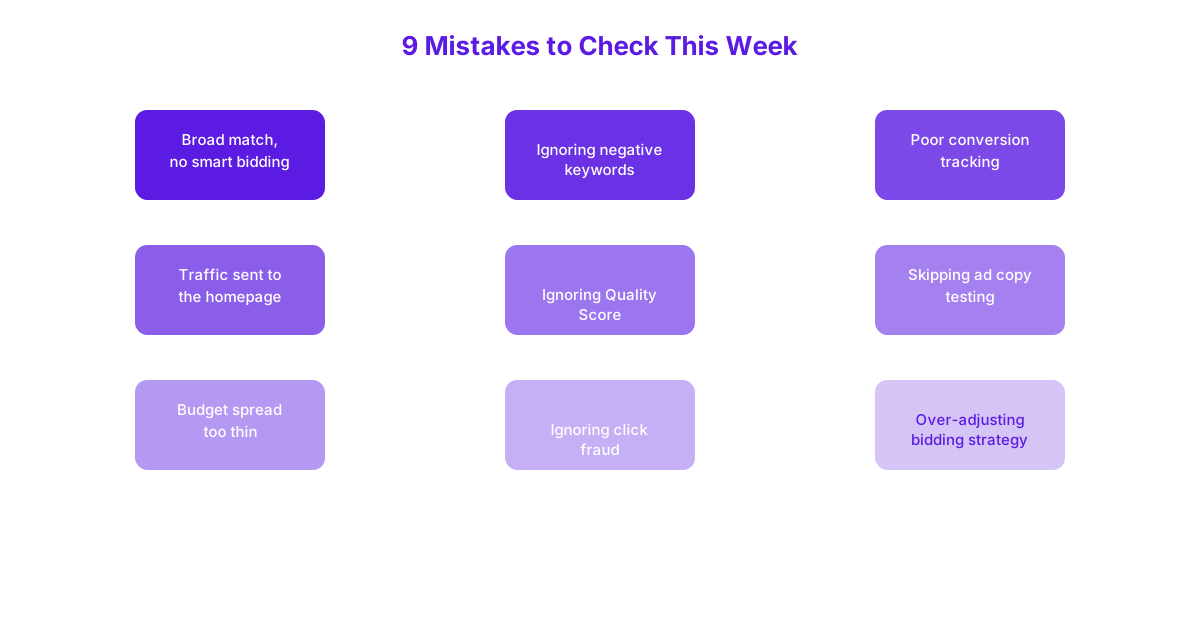
| Mistake | One-Line Fix |
|---|---|
| Broad match without smart bidding | Pair with automated bidding or tighten match type |
| Ignoring negative keywords | Review search terms weekly, add negatives consistently |
| Poor conversion tracking | Define conversions clearly and verify tracking fires correctly |
| Sending traffic to the homepage | Build dedicated landing pages per ad group |
| Ignoring Quality Score | Improve expected CTR, relevance, and landing page experience together |
| Skipping ad copy testing | Run at least two headline variations per ad group |
| Spreading budget too thin | Consolidate spend into fewer, higher-intent campaigns |
| Ignoring click fraud | Monitor for click spikes, repeated IPs, unusual-hours activity |
| Over-adjusting bidding strategy | Give smart bidding 2 to 4 weeks before making changes |
Frequently Asked Questions
What’s the most common Google Ads mistake small businesses make?
The most common Google Ads mistake small businesses make is poor or missing conversion tracking, since this single issue undermines every other optimization decision made across the account. Without accurate conversion data, both manual adjustments and Google’s own automated bidding systems are essentially working blind, regardless of how well other parts of the account are managed.
How do I know if I have a click fraud problem?
You likely have a click fraud problem if you notice sudden spikes in clicks without a corresponding rise in conversions, repeated clicks from the same IP address in a short window, or unusual activity concentrated during hours your genuine audience is unlikely to be searching. Reviewing your account’s click and conversion data specifically for these three patterns is the fastest way to confirm or rule out a genuine click fraud issue.
How often should I check my Google Ads account?
You should check your Google Ads account at least once a week, spending twenty to thirty minutes reviewing search terms, recent conversion trends, and any obvious anomalies. This consistent, modest habit catches most emerging problems before they’ve had enough time to meaningfully waste budget.
Does ignoring negative keywords really waste that much budget?
Yes, ignoring negative keywords can genuinely waste a significant share of an account’s total budget over time, since irrelevant searches continue triggering paid clicks month after month without ever being excluded. The exact impact varies by account, but accounts that haven’t actively maintained a negative keyword list for several months commonly discover meaningful, avoidable waste once they finally review their search terms report.
Should I manage my own Google Ads or hire someone to avoid these mistakes?
Whether to manage your own Google Ads or hire someone depends on how much time you can realistically commit to the consistent, ongoing monitoring these fixes require, since most of these mistakes stem from a lack of regular attention rather than a lack of platform knowledge. A business genuinely able to commit weekly review time can reasonably self-manage, while one struggling to maintain that consistency often sees stronger results handing this ongoing monitoring to a dedicated manager.
Most wasted Google Ads budget comes down to a small, identifiable set of fixable mistakes rather than the platform itself being a poor investment. If you’d like a thorough review of your account against every mistake covered in this guide, get in touch and talk to us about auditing your account.
