Google Business Profile Optimization: The Complete Checklist
A Google Business Profile functions like a homepage on Search and Maps, yet most businesses treat it as a set-and-forget listing they filled out once and never touched again. That’s exactly why competitors with a properly maintained profile keep winning the calls and clicks that should have gone to you. This guide gives you a priority-ranked checklist covering every lever you can control, plus the ongoing weekly and monthly routine that actually keeps a profile performing, not just a one-time setup guide that goes stale within months.
What Is Google Business Profile Optimization?
Google Business Profile optimization is the process of completing, improving, and actively maintaining your Google listing so it shows up for the right searches and converts views into real customers. Google Business Profile was previously called Google My Business, and while the rebrand happened a few years ago, many business owners still refer to it by the old name, so both terms describe the same underlying tool.
The levers you can directly control include your categories, the services and products you list, your photos and videos, customer reviews and how you respond to them, regular posts and updates, the Q&A section, and the specific links your profile sends customers to. Each of these levers independently affects both how well your profile ranks in local search results and how effectively it converts someone who finds it into an actual enquiry or visit. Treating this as a single, comprehensive system rather than a scattered set of unrelated settings is what separates a genuinely optimized profile from one that’s merely been filled in.
What Should You Check First: Foundations and Accuracy?
The first things you should check on your Google Business Profile are your business name, address, phone number, hours, and category accuracy, since these foundational details underpin everything else the profile does. Getting these wrong undermines every other optimization effort covered later in this guide, since inaccurate foundations actively confuse both customers and Google’s own systems.
Business Name, Address, Phone, and Hours
Your business name, address, and phone number, commonly abbreviated as NAP, must exactly match what’s listed on your actual website and across every other directory where your business appears. Inconsistent NAP details, such as “Ltd” appearing on one listing but not another, or a slightly different phone number format, weaken Google’s confidence in your business as a single, coherent, trustworthy entity. Your listed hours need to reflect genuine, current opening times, including accurate holiday and seasonal adjustments, since incorrect hours are one of the fastest ways to damage customer trust when someone arrives to find you closed.
Checking these details today, right now, against your actual website footer and any major directories you appear on, is the single fastest audit available and should be the very first item completed before touching anything else on this checklist.
Primary and Secondary Categories
Your primary category, the single most important classification Google uses to understand what your business does, should be the most specific and accurate match available rather than the broadest option that technically applies. Categories are Google’s structured way of classifying exactly what kind of business you are, and choosing “Marketing Agency” when “Digital Marketing Consultant” is available and more precise costs you visibility on the more specific searches that better match your actual services. Secondary categories, which you can add in addition to your primary one, should cover every genuinely accurate additional classification your business fits, without stretching into categories you don’t authentically serve.
Reviewing your category selection is worth doing even for an established profile, since Google periodically adds new, more specific category options that may not have existed when you first set up your listing.
How Do You Build Trust Signals Into Your Profile?
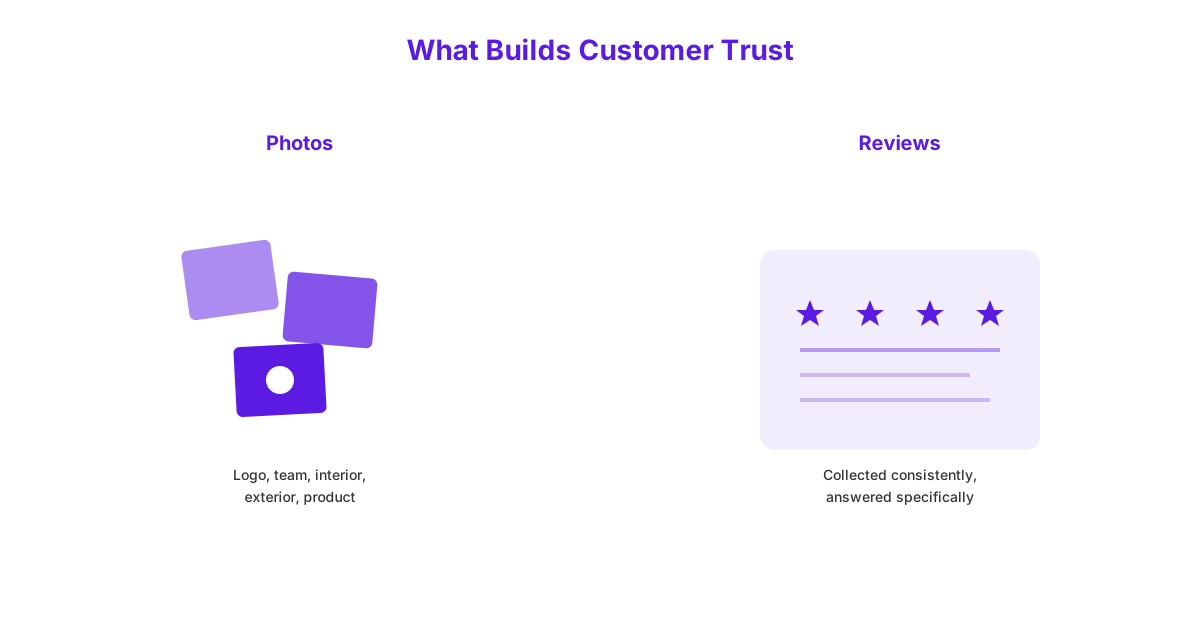
You build trust signals into your Google Business Profile through genuine, comprehensive photos and videos, and through consistently collecting and thoughtfully responding to reviews. These two elements do more to convince a potential customer you’re a real, active, trustworthy business than any other part of the profile.
Photos and Videos That Prove You’re Real and Active
Photos and videos prove you’re real and active by giving potential customers visual confirmation of your actual business, rather than a text-only listing that could belong to anyone. A genuinely complete profile should include at minimum your logo, a cover photo, team photos, interior shots, exterior shots, and photos of your actual products or service in action. Businesses that upload new, genuine photos regularly signal ongoing activity to both customers and Google’s own systems, while a profile with the same handful of photos from years ago signals the opposite, whether or not that’s actually true of the business.
Stock photography, or images that don’t genuinely represent your specific business, actively undermine this trust-building purpose, since a savvy customer can often tell the difference and generic imagery fails to prove anything specific about your actual premises or work.
Reviews: Collecting and Responding the Right Way
Collecting and responding to reviews the right way means actively asking satisfied customers for genuine reviews while responding to every review, positive and negative, promptly and specifically. A simple, direct request at the point of a positive customer interaction, whether by text, email, or in person, consistently produces more reviews than passively hoping customers think to leave one unprompted. Responding to reviews with specific, genuine detail, referencing the actual service provided rather than a generic templated reply, demonstrates active account management to both the customer and to Google’s systems evaluating your profile.
Negative reviews deserve particular care: responding professionally, acknowledging the concern, and offering a path to resolution where genuinely possible does more to protect your reputation than ignoring the review or responding defensively. If building a consistent, ongoing review generation and response habit feels like more than you can manage alongside running the business, it’s worth folding into our local SEO approach, which treats review management as an integral, ongoing part of local visibility rather than an afterthought.
How Do You Show Google Exactly What You Sell?
You show Google exactly what you sell by completing your services, products, and business description thoroughly, and by selecting every genuinely applicable attribute available to your business type. These details give Google’s systems concrete, specific information to match against relevant searches, beyond what your category selection alone communicates.
Services, Products, and Business Description
Listing every genuine service or product your business offers, each with its own specific name and description rather than a single generic entry covering everything, gives Google considerably more specific material to match against relevant searches. A plumbing business should list “emergency boiler repair,” “bathroom installation,” and “leak detection” as separate, individually described services rather than one vague “plumbing services” entry, since this specificity directly affects which searches your profile can actually appear for. Your business description, allowing several hundred characters of free text, should describe what you actually do in plain, specific language, including relevant services and your genuine area of operation, rather than vague marketing language that says little of substance.
This level of detail takes real time to complete properly, but it directly feeds the same specific-matching benefit across your entire profile, making it one of the highest-value, if occasionally overlooked, sections to get right.
Attributes That Help Customers Choose You
Attributes are specific, selectable details, such as “wheelchair accessible,” “free Wi-Fi,” “outdoor seating,” or “women-led,” that help a customer quickly judge whether your business fits their specific needs before ever visiting or calling. Google surfaces relevant attributes directly within search results and your profile display, meaning a customer with a specific requirement, such as accessibility needs, can filter or quickly judge fit without needing to dig further into your listing. Selecting every genuinely accurate attribute available to your business type, rather than skipping this section entirely, adds another layer of specific matching that costs nothing beyond a few minutes to complete.
Attributes should only ever be selected when genuinely true, since inaccurate attributes damage trust immediately upon a customer’s first visit or interaction when the claimed feature turns out not to exist.
How Do You Keep Your Profile Active Between Updates?
You keep your profile active between larger updates by posting regular updates, offers, and events, and by promptly answering questions in the Q&A section. These ongoing activities signal continued engagement to both customers browsing your profile and to Google’s own assessment of how active your business genuinely is.
Posting Updates, Offers, and Events
Posting regular updates, offers, and events directly to your Google Business Profile keeps your listing visibly active and gives returning visitors and Google’s systems fresh, current content beyond your static, foundational details. A post announcing a seasonal offer, a new service launch, or an upcoming event gives potential customers a specific, timely reason to engage right now, rather than encountering only static information that never changes. Posts with a clear call to action and a relevant photo consistently perform better than text-only updates, since the visual element captures attention within a scrolling feed of search results.
Establishing a consistent, sustainable posting rhythm, covered in more detail in the weekly routine below, matters considerably more than posting intensively for a few weeks and then stopping entirely once the initial enthusiasm fades.
Answering Questions in the Q&A Section
Answering questions in the Q&A section promptly, ideally within a day or two, ensures potential customers get accurate information directly from you rather than from another user’s guess or an outdated answer. The Q&A section allows any Google user to ask a question about your business, and critically, allows any other user, not just the business owner, to answer it, meaning unanswered or incorrectly answered questions can sit publicly visible and misleading potential customers indefinitely. Proactively seeding this section with your own frequently asked questions and their correct answers, before a customer even asks, prevents this section from filling with inaccurate guesses from people who don’t actually work for your business.
Checking this section regularly, covered in the weekly routine below, catches new questions before they sit unanswered long enough to mislead someone or generate a frustrated public response from an unrelated user.
How Do You Make It Easy for Customers to Take Action?
You make it easy for customers to take action by linking your website URL to the specific, relevant service page rather than a generic homepage, enabling booking or ordering links where genuinely available, and confirming every button actually works correctly on mobile devices. A potential customer clicking through from your profile expecting information about a specific service, only to land on a generic homepage requiring further navigation to find it, is considerably less likely to follow through than one landing directly on the relevant page.
Booking links, ordering links, or direct messaging features, where your business genuinely offers these capabilities, should be enabled and kept current, since these remove friction between a customer’s initial interest and an actual completed action. Every clickable element on your profile, the website link, phone number, and any booking or ordering integration, should be tested directly on a mobile device periodically, since a broken or slow-loading link at this final step wastes all the value built up through the rest of your optimized profile.
Google Business Profile Checklist at a Glance
The table below condenses this entire checklist into a single, priority-ranked reference so you can triage effort based on genuine impact rather than working through items in an arbitrary order.
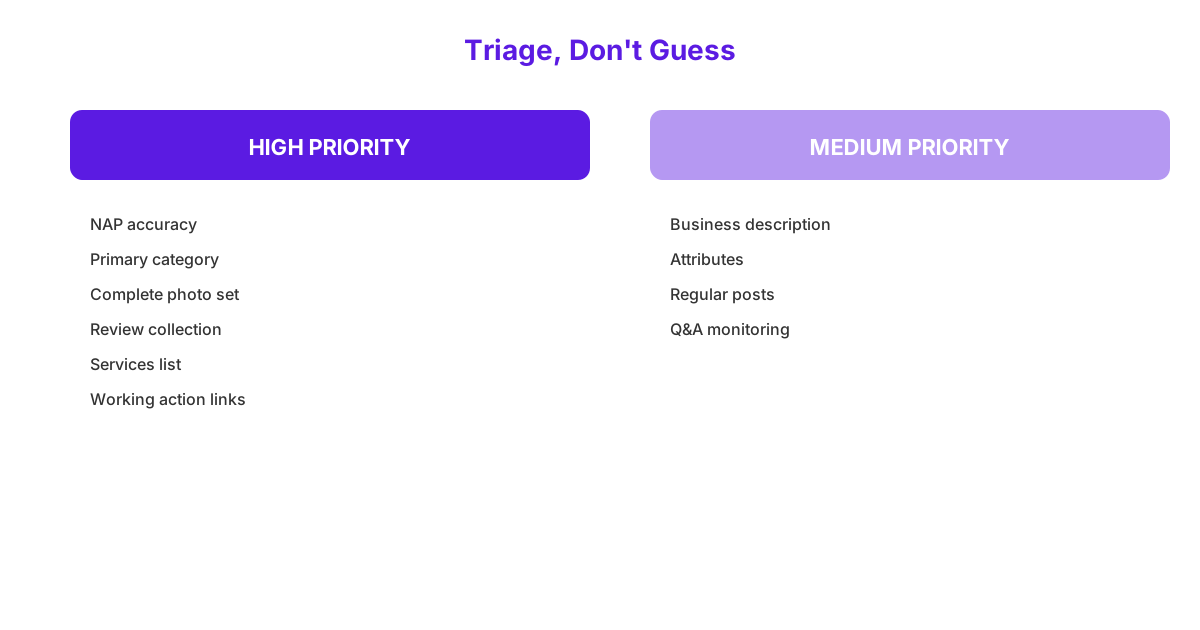
| Item | Why It Matters | Priority |
|---|---|---|
| Accurate NAP details | Foundation for trust and consistency across the web | High |
| Correct primary category | Single strongest relevance signal for search matching | High |
| Complete photo set | Proves the business is real and active | High |
| Active review collection and response | Builds trust and signals ongoing engagement | High |
| Detailed services list | Matches specific searches beyond category alone | High |
| Business description | Adds specific, searchable context | Medium |
| Attributes | Helps customers filter and quickly judge fit | Medium |
| Regular posts | Signals ongoing activity | Medium |
| Q&A monitoring | Prevents inaccurate public answers from other users | Medium |
| Correct website and action links | Reduces friction at the final conversion step | High |
Independent research, such as Moz’s Local Search Ranking Factors study, has consistently found Google Business Profile signals to be among the heaviest-weighted factors in local pack rankings, reinforcing why this checklist deserves genuine, ongoing attention rather than a one-time setup effort.
What Should Your Weekly Google Business Profile Routine Look Like?
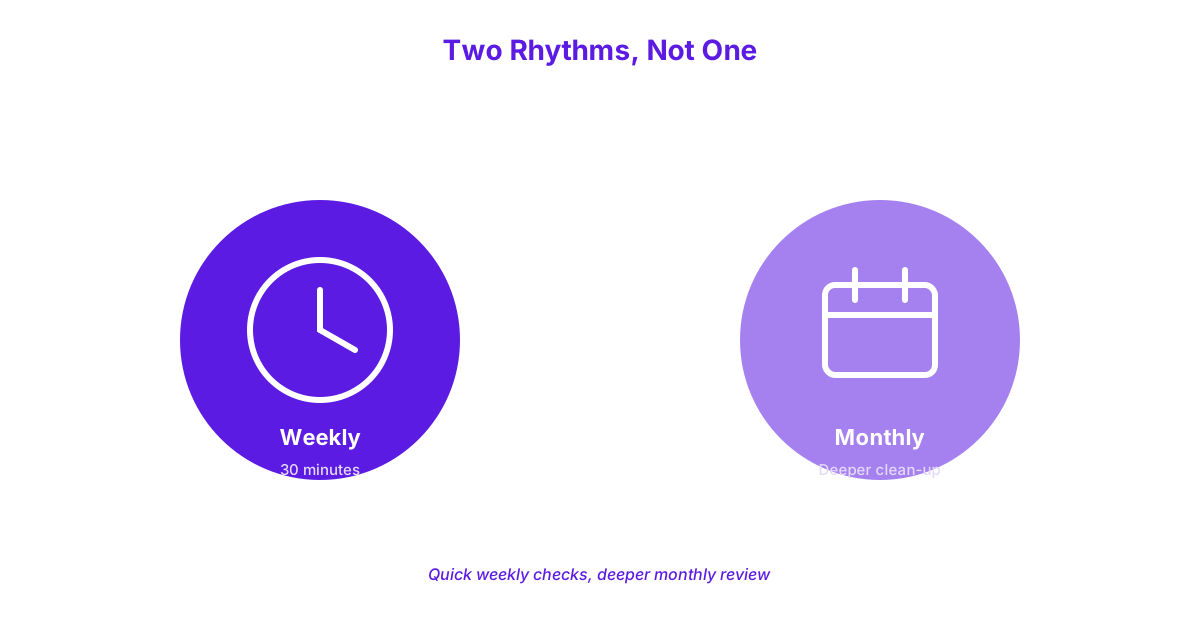
Your weekly Google Business Profile routine should take roughly 30 minutes and cover checking for unwanted edits, replying to new reviews, posting one update, adding fresh photos, and scanning the Q&A section. This consistent, modest weekly rhythm is what actually keeps a profile performing, rather than the one-time setup effort most businesses stop at.
A 30-Minute Weekly Checklist
Start by checking for unwanted edits, since Google allows other users to suggest changes to business information, and an incorrect suggested edit can occasionally be applied without the business owner noticing, so a quick weekly scan catches this before it causes real confusion. Next, reply to any new reviews received that week, ideally within 48 hours, using the specific, genuine response approach covered earlier rather than a generic template. Post one update for the week, whether an offer, a piece of news, or a simple photo update, keeping your profile visibly active rather than static between larger changes.
Add at least one or two fresh photos weekly where genuinely available, whether new work completed, a team update, or a seasonal change to your premises. Finally, scan the Q&A section for any new questions and answer them directly and accurately, preventing the section from accumulating unanswered or inaccurately answered entries from other users. This entire routine realistically takes about 30 minutes and is easily manageable as a fixed weekly slot rather than a task requiring dedicated daily attention.
What Should Your Monthly Maintenance Routine Look Like?
Your monthly Google Business Profile maintenance routine should include reviewing your categories and services for accuracy, updating photos seasonally, benchmarking against top local competitors, and auditing your website’s landing page experience. This monthly cadence catches larger, slower-moving issues that a quick weekly check wouldn’t naturally surface.
A Monthly Clean-Up Checklist
Review your categories and services list monthly to confirm everything remains accurate as your business evolves, adding any new services and removing any you no longer genuinely offer. Update your photos seasonally, ensuring your exterior shots, for example, reflect the current season rather than showing a Christmas display in July, since mismatched seasonal imagery subtly undermines the sense of an actively maintained profile. Benchmarking against top local competitors requires no paid tools at all: simply search your main service keywords on Google Maps as a customer would, and directly compare your profile against the top three results for photo count, review volume and recency, and how thoroughly they’ve completed their services and description sections.
This manual benchmarking reveals concrete, actionable gaps, such as noticing a competitor has forty recent reviews to your fifteen, or a considerably more thorough services list than yours currently offers. Auditing your website’s landing page experience, confirming the specific page your profile links to still loads quickly and accurately reflects the service being searched for, rounds out this monthly routine. Keeping your photos, posts, and descriptions genuinely fresh on this ongoing basis is fundamentally a content task, and treating it as part of an ongoing content strategy rather than a separate, disconnected chore tends to produce more consistent results over time.
How Do You Know If Your Profile Is Actually Performing?
You know if your profile is actually performing by tracking views, searches, and actions directly within your Google Business Profile’s built-in performance data, rather than guessing based on general impressions. This data is free and requires no additional tools to access, sitting directly within your profile’s management dashboard.
Tracking Views, Searches, and Actions
Tracking calls, direction requests, and website clicks directly within your profile’s performance section shows exactly how many people took a concrete action after finding your listing, rather than just how many people saw it. A profile receiving strong view counts but very few of these concrete actions signals a conversion problem, likely tied to weak photos, an incomplete services section, or unclear calls to action, rather than a visibility problem. Comparing these action counts month over month reveals whether your ongoing optimization and maintenance work is genuinely producing more real business, not just more impressions.
Using UTM tags, small tracking parameters added to your website URL specifically for your Google Business Profile link, lets you confirm within Google Analytics that clicks from your profile are genuinely reaching your website and converting into further action, rather than relying solely on the profile’s own reported click count. This extra layer of confirmation matters particularly for businesses wanting to connect Google Business Profile activity directly to actual enquiries and revenue, rather than treating profile clicks as a standalone, disconnected metric.
What Common Mistakes Get Google Business Profiles Suspended?
The most common mistakes that get Google Business Profiles suspended are keyword stuffing the business name, maintaining inconsistent NAP details across the web, and claiming categories or services the business can’t genuinely fulfil. Each of these violates Google’s guidelines directly and can result in a suspended profile that’s difficult and time-consuming to restore.
Keyword stuffing the business name, such as listing your business as “Smith Plumbing, Best Emergency Plumber Galway Tuam Athenry” instead of simply “Smith Plumbing,” is a guideline violation Google actively detects and penalises, since your business name field is meant to reflect your genuine, legal business name rather than a bundle of target keywords. Inconsistent NAP details across different platforms and directories, beyond the ranking damage covered earlier, can also trigger a suspension review if Google’s systems flag your listing as potentially fraudulent or duplicated due to conflicting information. Claiming categories, services, or attributes your business can’t genuinely fulfil, whether exaggerating scope or listing services you don’t actually offer, similarly risks suspension once flagged, either by automated detection or a competitor or customer report.
Staying accurate and consistently boring, meaning resisting the temptation to game any of these fields for a perceived short-term ranking advantage, remains the safest, most durable path to a profile that performs well over the long term without ever risking suspension.
Frequently Asked Questions
How often should I post on Google Business Profile?
You should post on Google Business Profile at least once a week to maintain a visible, active presence without requiring daily attention. More frequent posting during particularly active periods, such as a seasonal promotion or a major business update, is reasonable, but weekly consistency matters more than any specific higher frequency.
Do Google Business Profile posts help rankings?
Google Business Profile posts contribute indirectly to rankings by signalling ongoing business activity, though they carry less direct ranking weight than foundational factors like categories, reviews, and NAP consistency. Their primary value lies in keeping your profile visibly active and giving potential customers a timely, specific reason to engage.
How many photos should my profile have?
Your profile should have at least six photo categories covered: logo, cover photo, team photos, interior shots, exterior shots, and product or service photos, with additional genuine photos added on an ongoing basis. There’s no fixed maximum that helps performance, but consistently adding new, genuine photos over time matters more than reaching any specific total count.
Why was my Google Business Profile suspended?
A Google Business Profile is most commonly suspended due to keyword stuffing in the business name, inconsistent NAP details across the web, or claiming categories and services the business can’t genuinely fulfil. Reviewing your profile against these three specific issues is the fastest way to identify and correct the likely cause before submitting a reinstatement request.
Is Google Business Profile the same as Google My Business?
Yes, Google Business Profile is the same tool previously called Google My Business, following a rebrand a few years ago that changed the name without altering the platform’s core functionality. Many business owners and even some directories still refer to it by the older name, but both terms describe the identical underlying Google listing tool.
Keeping a Google Business Profile genuinely optimized is an ongoing habit, not a task you complete once and forget, and the weekly and monthly routines in this guide are what actually separate a profile that performs from one that quietly falls behind. If you’d like help building and maintaining this routine consistently, get in touch and talk to us about your Google Business Profile.
